Ubuntu 26.10 Release Brings 'Stonking Stingray' — and Myna, the Dictation Agent That Never Phones Home
Canonical shipped Ubuntu 26.10 'Stonking Stingray' with Myna, a local-only dictation agent, GNOME 51 polish, and Rust-based coreutils. Here's what's worth your attention.
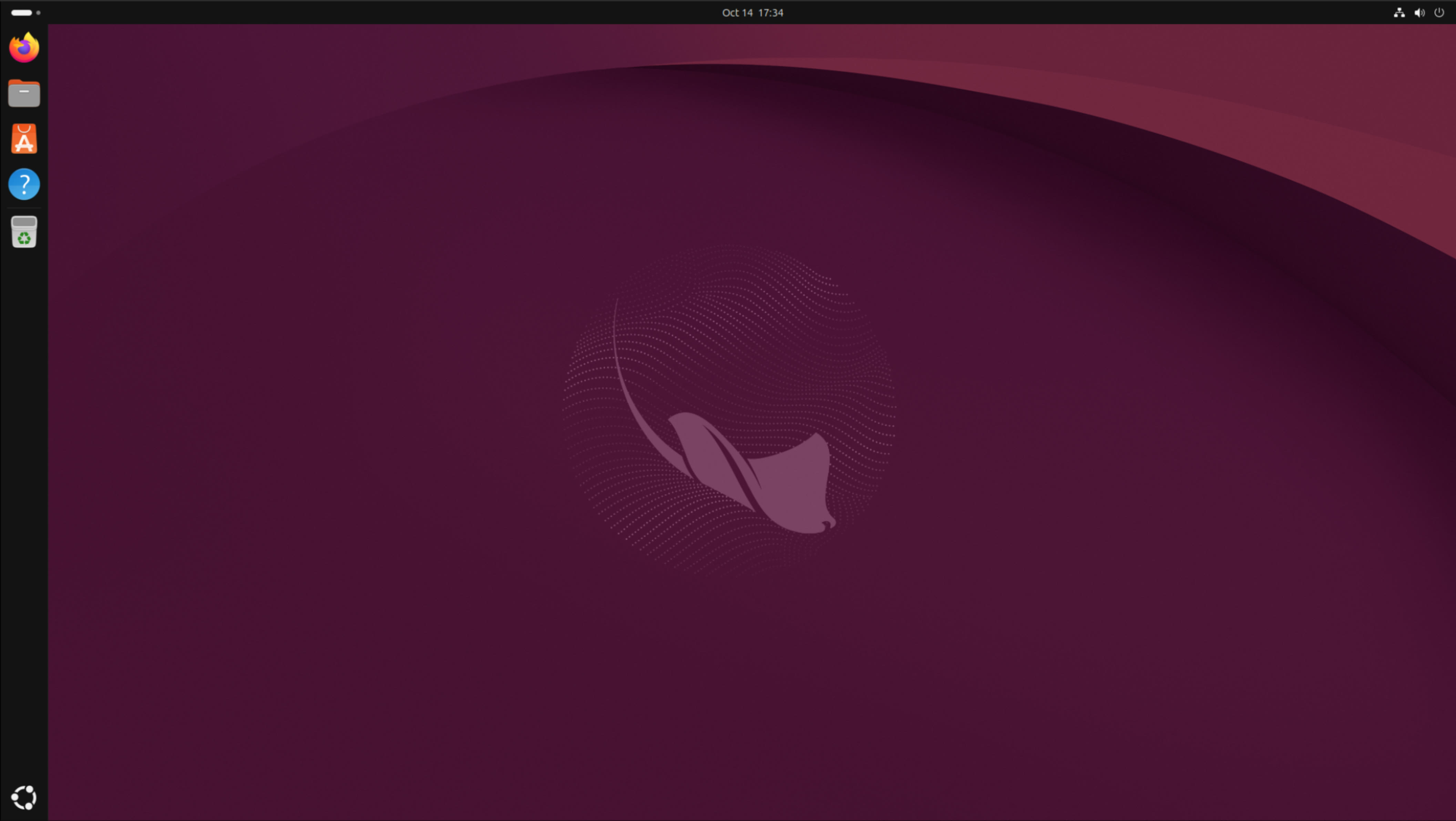
The Ubuntu 26.10 release landed on October 15, 2026, codenamed "Stonking Stingray," and its headline act isn't the kernel bump or the new GNOME — it's Myna, an opt-in speech-to-text agent that runs entirely on local models. Nothing you dictate leaves your machine. Canonical says Myna will become the default in Ubuntu 28.04 LTS, which makes this interim release a preview of where the desktop is heading.
The Ubuntu 26.10 release is an interim release, so set expectations accordingly: nine months of support, ending July 2027. If you're on 26.04 LTS and everything works, this release isn't really for you — and that's fine. 26.10 is for new hardware, for testers, and for people who like living on the latest.
Myna: dictation that never leaves your laptop
Myna is named after the myna bird, famous for mimicking human speech, and the idea is straightforward: a speech-to-text agent built into the desktop, powered by on-device models, with clear visual feedback while you talk. It's opt-in for now — you have to turn it on — and Canonical plans to make it the default when 28.04 LTS ships.
What makes Myna interesting isn't the transcription quality (we'll see how the local models hold up against cloud services). It's the privacy posture. There's no account, no cloud round-trip, no "send us your voice to improve the service" toggle buried three menus deep. Your words stay on your hardware, full stop.
That stance looks sharper when you compare it to what's happening elsewhere. On macOS, the new wave of AI agents keeps asking for full disk access just to function — a trade most people accept without reading the prompt. Canonical went the other way: the AI feature that ships first is the one that can't phone home. If you want the full picture of that contrast, our look at macOS AI agents and full disk access is worth a read.
Myna is also Canonical's first step toward a more intent-driven desktop: instead of clicking through settings, you say what you want. Their example is a developer saying "help me investigate why my tests are failing" and having Ubuntu pull together test results, relevant code, and a working setup. That's a roadmap, not a feature — Myna today is dictation. But dictation done locally, for free, in the default install path, is genuinely useful: accessibility, RSI relief, faster first drafts. If you talk to your computer already, this is worth testing.
GNOME 51 and the small things that add up
The Ubuntu 26.10 release moves the desktop to GNOME 51, and the changes are the unglamorous kind that make daily life better. Frame scheduling stays smoother when the system is under load. Monitor brightness is now remembered across reboots and HDR toggles — if you've ever had a display blast full brightness at you after an update, you know why this matters. Multi-monitor setups get center-alignment snapping, and convertibles get auto screen rotation with an orientation lock.
Then there's the pile of papercuts Canonical finally fixed: the touchpad switches off automatically when you plug in a mouse (how was this not already a thing?), fingerprint enrollment gets a reworked screen, and you can enter DNS search domains right in the network panel instead of editing config files.
The Papers document viewer can now stamp visual signatures onto PDFs. Note the word "visual" — these are annotations, not cryptographic signatures. Fine for marking up a draft; don't expect them to hold up where a real digital signature is required.
Under the hood: Rust coreutils, kernel 7.3, and NVIDIA sanity
Underneath, 26.10 ships Linux kernel 7.3 (the first images were built on 7.3-rc6) with early support for Snapdragon X2 Elite and AMD Zen 6 silicon, plus Python 3.14. The big milestone: the last GNU coreutils — cp, mv, rm, the commands you type without thinking — are now Rust implementations. It's the completion of a migration that's been rolling for years, and you should notice exactly nothing, which is the point.
dbus-broker is now the default D-Bus implementation, with strict per-app message accounting so a single misbehaving app can't stall the whole desktop. Desktop OOM (out-of-memory) scoring has been reworked to handle memory pressure more gracefully.
The App Center gets two genuinely welcome upgrades: a unified details page that treats Snap and DEB packages the same (DEBs were second-class citizens for too long), and a dedicated section for managing NVIDIA drivers. Setting up a fresh install? Pair the new App Center with a full office suite — OnlyOffice 10 is the current pick — and you're most of the way to a working machine.
Oh, and dragging a window now pops up a tiling layout picker, Windows 11-style. Long overdue, and genuinely useful on ultrawides.
The rough edges
Interim releases are where the sharp edges live, and 26.10 has a few documented at launch:
- Snapdragon X2 Elite laptops may need a USB keyboard to get through setup
- Intel AX211 Wi-Fi firmware can crash
- AMD dual-GPU machines may freeze the display when panel self-refresh kicks in
None of these are surprising for a release carrying kernel 7.3 this early, but check the release notes against your hardware before you commit. If your machine is your livelihood, the LTS exists for a reason.
Should you install the Ubuntu 26.10 release?
If you're on 26.04 LTS: stay put. You're supported for years, and 26.10 goes end-of-life in July 2027. There's nothing here worth giving up that stability for — Myna will still be there, better baked, in 28.04.
Install 26.10 if you just bought new hardware (especially Snapdragon X2 or Zen 6 machines that need the new kernel), if you test Ubuntu for a living, or if you simply want the newest desktop and don't mind the occasional papercut. And if you're on Windows and the end of Windows 11 24H2 support has you window-shopping for alternatives, here's what that deadline means — 26.10 is a decent time to kick Ubuntu's tires in a VM first.
The Ubuntu 26.10 release is exactly what an interim release should be: a stable-enough playground for the future, with one genuinely interesting bet — Myna — that the whole desktop will be built around next. Try it, but bring a backup keyboard if you're on Snapdragon.